Photo Scan App by Photomyne
- 4.3
- Rating
- 5.00M
- Installs
- Free
- Price

 Analysis by App-foxy
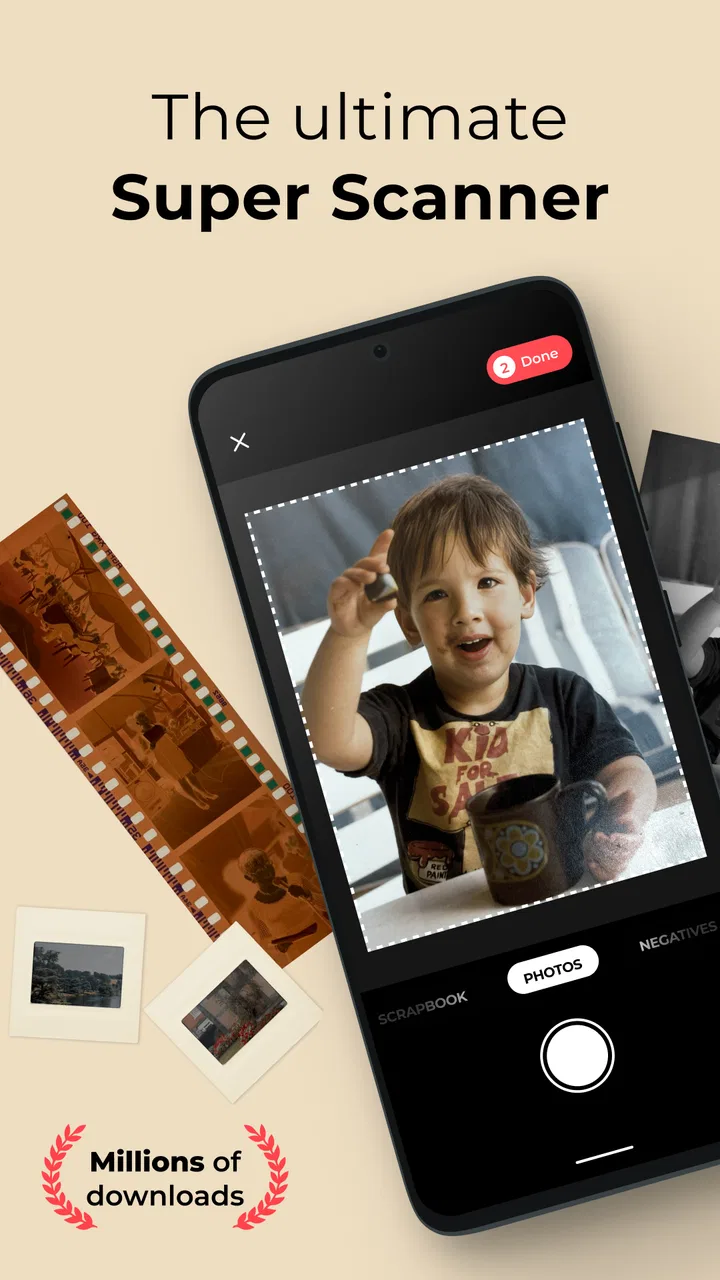
Old photographs deserve more than a forgotten box in a cupboard, but scanning them can be a surprisingly awkward job. Flatbed scanners are careful yet slow, while taking a picture with the regular camera app often leaves glare, uneven edges, and a messy camera roll. I found Photo Scan App by Photomyne Ltd. most useful as a middle ground: it is built around turning printed photographs into organized digital copies with a phone. It is free to install, aimed at Everyone, and sits in the Photography category rather than trying to be an all-purpose editing suite.
My first impression was that the app understands the real problem better than a normal camera does. The challenge is not simply capturing an image; it is getting several old prints off a table, correcting the way they sit in the frame, and making the result easy to revisit. That focus makes it appealing for family albums, inherited boxes, school pictures, travel snapshots, and any collection that has been waiting for attention. At the same time, I would not treat it as a replacement for a professional scanner when maximum archival quality is the priority.
What makes the scanning approach useful
The app’s central workflow is deliberately more focused than the standard camera experience. Instead of asking me to compose one photograph and then remember where I saved it, it encourages a scanning session built around printed images. That difference matters when the task involves dozens of pictures. I can work through a pile in one sitting and keep my attention on the physical photographs rather than constantly switching between camera, gallery, and editing tools.
You May Also Like

 Blood Strike: 2.5 Anniversary
Blood Strike’s Loadouts Turn Every Drop Into a Tactical Gamble
A close look at Blood Strike’s custom loadouts: how fast access to signature weapons reshapes its battle royale rhythm, rewards preparation, and narrows the gap between fights.

 Pandora - Music & Podcasts
Pandora’s Music Is Easy to Start, but Harder to Recover
Pandora’s strength is its low-effort path from a seed to a station. Its weak spot is how much confidence it asks you to place in connection, setup, and quiet recovery.

 8 Ball Pool
 Is Built on Rivalries, Rematches, and Routine
A close look at the rivalries, rematches, shared routines, and unanswered safety questions that turn a quick pool match into a persistent mobile community.

 Samsung Music
’s Quiet Strength Is Playing What You Already Own
Its reach comes less from spectacle than from dependable access to a personal library. That simplicity is both the app’s strongest retention engine and its ceiling.

 AccuWeather: Weather Radar
AccuWeather Review: A Quick, Clear Forecast for Everyday Decisions
For everyday plans, the best forecast is the one you can understand quickly. AccuWeather makes rain timing, radar, and local conditions easy to act on, with a few trade-offs.

 Hill Climb Racing
Why Hill Climb Racing Still Turns Crashes Into One More Run
A tiny car, a bumpy hill and one more upgrade: Hill Climb Racing keeps resurfacing because its simple chaos makes every near-miss feel personal.
More From Our News Desk



In an everyday situation, imagine finding a small album before a family gathering and wanting to share a few pictures with relatives. With a regular camera, I would probably photograph each print, crop it manually, and later try to identify which digital file belongs to which memory. A dedicated scanner app makes that process feel more intentional. I can place the album near a window, keep the phone steady, capture the pages, and review the results while the originals are still in front of me.
The biggest practical strength is convenience. Photomyne Ltd. has shaped this app for people who want to rescue existing prints without learning a complicated scanning program. That makes it especially friendly for older relatives or anyone who is comfortable with a phone but does not want to manage scanner drivers, desktop folders, and separate correction software. The interface feels like a tool for a specific household task, not a professional workstation.
There is also a useful psychological advantage: scanning a few pictures feels less demanding than digitizing an entire collection. I can start with one drawer, a single album, or the photographs needed for a particular occasion. That smaller commitment is important because photo preservation projects often fail through sheer scale. The app lowers the effort needed to begin, even if I still need patience for a large archive.
Where the phone camera still matters
The quality of the final result depends heavily on the conditions around the phone. A clean lens, even lighting, a stable surface, and a print that lies flat make a noticeable difference. I would avoid strong overhead lights because reflections can become part of the digital copy. A bright window can help, but direct sunlight may create harsh contrast or shine on glossy paper. Soft, indirect light is the safer choice.
I also found that a careful setup saves more time than trying to repair every mistake afterward. Before starting, I would clear the table, remove dust from the prints, and position the phone so my hand does not cast a shadow. If the album pages curl, placing them flat briefly or scanning individual prints separately can produce a cleaner result. These are simple steps, but they distinguish a useful family archive from a collection of crooked, reflective snapshots.
Printed photographs vary enormously. Matte prints are usually easier to capture than glossy ones, and faded images may already have low contrast before the app processes them. Small wallet-sized pictures can be convenient because they are easy to handle, while large prints require more care to keep all edges visible. The app can simplify the capture process, but it cannot restore detail that has disappeared from the physical original.
Three workflows that make it more practical
My preferred workflow is to scan by story rather than by random order. I might handle one holiday, one school year, or one branch of the family at a time. That keeps the physical pile manageable and makes later browsing more meaningful. I would also pause after each small batch to check whether faces are sharp, corners are included, and reflections have not hidden important details. Catching those issues immediately is much easier than rediscovering them months later.
A second useful habit is to separate “preservation” from “sharing.” For preservation, I would be conservative and keep the best capture of every original, including images that are not visually exciting. For sharing, I would select only the strongest photographs and make any additional adjustments outside the scanning session if necessary. Mixing both goals can slow the process and encourage rushed decisions about which family memories are worth keeping.
A third trade-off concerns speed. Capturing several prints in succession is attractive when the collection is large, but speed can make me overlook glare, overlapping edges, or a print that has shifted. I would use the faster rhythm only after testing the lighting and reviewing the first group carefully. If the first few scans look uneven, changing the setup is more valuable than continuing at the same pace.
Trust, controls, and moments that deserve care
Because this app deals with personal photographs, trust is not a minor detail. Old pictures may show children, relatives, addresses, homes, workplaces, or private occasions. I would approach the app with the same care I use for any service handling meaningful personal material: read the permission prompts, notice what choices are presented, and avoid granting access that does not feel necessary for the task. The important point is to make those decisions consciously rather than tapping through setup automatically.
The app is free to install, but it includes purchases ranging from $0.99 to $299.99 per item. That makes it especially important to pay attention to any upgrade screen, trial wording, renewal language, or confirmation button shown during use. A free download does not mean every capability is free. I would decide in advance whether I only need occasional scanning or whether a paid option genuinely fits a larger digitization project, and I would confirm the purchase terms before accepting anything.
I also recommend treating account and sharing choices as separate decisions. If the app presents options for signing in, saving work, or connecting with other services, I would consider whether each one is useful for my situation. Someone scanning a few prints for a family event may prefer the simplest available route, while someone building a long-term archive may value continuity across devices. The right choice depends on the project, not on the pressure of a setup screen.
When handling sensitive photographs, I would review the image before sharing it, not just after. A scan can include more than the intended subject: a handwritten note, a street sign, a school emblem, or another person in the background. Cropping may be helpful for presentation, but I would keep an untouched preservation copy before making changes. That gives me a safer working method without pretending that editing removes the need for judgment.
I would also keep the original prints after scanning. A phone-based copy is convenient and valuable, but it should not become the only version of an irreplaceable image until I have checked the result and made a separate backup where appropriate. This is one of the most important limitations of any scanning app: the software can make digitization easier, but responsibility for long-term storage still belongs to me.
How much control should a user expect?
The app’s appeal comes from reducing friction, so it is not the best fit for someone who wants to control every technical variable. A flatbed scanner connected to a computer may be preferable for archival work that demands carefully chosen resolution, color management, and repeatable settings. A normal camera app may be better when I need a quick record of a document, artwork, or object rather than a collection of printed memories.
For most household scanning, however, too much control can become another obstacle. I would rather have a guided process that helps me capture a whole album than spend an evening adjusting technical settings for every print. The trade-off is that convenience may come before fine-grained control. That is a fair exchange for casual preservation, but not for every photographic project.
The app also makes more sense when I have a clear reason to scan. If I only need one high-quality reproduction for printing, I would compare the result with a dedicated scanner or a professional service. If my goal is to make a large family collection searchable and easy to revisit, a specialized phone workflow is more attractive. The best choice changes with the importance of the original, the number of prints, and the time I am willing to spend.
Compatibility, cost, and everyday expectations
The current version is 26.2.2.2602200L, and the app requires Android 8.0 or later. That makes checking the phone’s operating system worthwhile before planning a scanning day. On a compatible device, I would still make sure there is enough free storage for the resulting images and that the battery is charged. A long scanning session can be more demanding than a quick photograph, especially when I am working through an entire album.
The app has been available since September 20, 2016, and its reach is substantial, with over five million installs. It also holds a 4.2 average from around forty-six thousand ratings, alongside roughly two thousand eight hundred written reviews. Those figures suggest that many people find the basic idea useful, but they should not replace my own test with the particular prints I need to preserve. Glossy photos, damaged corners, dark rooms, and unusual sizes can expose limitations that a general rating cannot predict.
The Everyone age rating makes the app approachable for household use, including a family member who may not be technically confident. I would still help a less experienced user with lighting, storage, and purchase screens rather than assuming the app alone will handle every decision. The easiest interface cannot compensate for a poorly arranged scanning area or an unclear backup plan.
Who should use it, and who should choose something else?
I would recommend it to someone with boxes of printed photos who wants a practical starting point, especially if carrying a scanner around the house is unrealistic. It is a good match for family archiving, preparing a slideshow, sharing old memories with relatives, or creating a digital reference before reorganizing physical albums. It is also useful for people who tend to postpone preservation because the traditional process feels too technical.
I would be more cautious about recommending it as the only tool for professional reproduction, museum-quality archiving, or photographs that will be enlarged substantially. In those cases, a flatbed scanner or specialist service may provide better control and consistency. I would also skip it for quick documents if a document-scanning app is designed more directly for text, pages, and searchable files.
Another reason to choose an alternative is workflow preference. Some people already have a carefully organized desktop system and do not want another mobile step. Others may prefer a manual camera setup because they want to adjust exposure, focus, and color themselves. Photo Scan App is strongest when convenience and photo-specific handling matter more than complete technical control.
My cautious verdict after using it
I see Photo Scan App as a useful bridge between a neglected box of prints and a more accessible digital collection. Its value is not that it turns every damaged photograph into a perfect master file. Its value is that it makes the first serious step—capturing the memories—simple enough to actually complete. For ordinary family pictures, that practical advantage can matter more than a long list of advanced settings.
My advice is to begin with a small, low-risk batch. Test different lighting, inspect the edges and faces, and decide how you want to label or store the results before scanning hundreds of images. Keep the physical originals, preserve an untouched copy, and read every purchase or account prompt carefully. Those habits give me more confidence than relying on any app alone.
In the end, I would choose it for a personal photo rescue project, not for demanding archival production. Photomyne Ltd. has made a focused photography tool that can remove much of the tedious work from scanning old prints, while the remaining limitations are mostly the ones I would expect from a phone-based approach. If your priority is turning family photographs into usable digital memories with minimal setup, it is worth trying. If your priority is laboratory-level control, a dedicated scanner remains the better investment.
FAQs for Photo Scan App by Photomyne
01What features does the Photo Scan App by Photomyne offer?
The Photo Scan App by Photomyne offers a range of features designed to make digitizing photos easy and efficient. Key features include batch scanning for multiple photos at once, automatic photo cropping, color restoration, and the ability to add metadata such as dates and locations. Additionally, the app provides cloud storage for easy access and sharing.
02Is the Photo Scan App by Photomyne free to use?
The app offers a free version with basic functionalities, allowing users to scan and save photos. However, to unlock advanced features like unlimited cloud storage, high-definition scans, and additional editing tools, a subscription is required. Various pricing plans are available to suit different needs, providing flexibility for casual and frequent users alike.
03How user-friendly is the Photo Scan App by Photomyne?
The app is designed with user convenience in mind, featuring an intuitive interface that guides users through the scanning process. With easy-to-follow instructions and a straightforward layout, even those new to photo scanning will find it simple to use. The app also provides quick access to help and support resources for any additional assistance.
04Can I share my scanned photos directly from the app?
Yes, the Photo Scan App by Photomyne allows users to easily share their scanned photos. Users can share images via email, social media platforms, or messaging apps directly from within the app. This seamless sharing capability makes it convenient to distribute your digitized memories to friends and family.
05Does the app support scanning of documents or only photos?
While the primary focus of the Photo Scan App by Photomyne is on photo scanning, it does offer basic support for scanning documents. However, its features are optimized for photos, such as color correction and automatic cropping. For more robust document scanning needs, a dedicated document scanner app might be more suitable.
Pros
- Easy to use interface
- even for beginners.
- Fast scanning process with high-quality results.
- Supports batch scanning for efficiency.
- Allows sharing directly to social media.
- Includes basic editing tools for enhancements.
Cons
- Limited cloud storage in free version.
- Occasional ads in the free version.
- Some features require in-app purchases.
- May not recognize all photo details.
- Requires internet for some functionalities.

Photo Scan App by Photomyne
Gallery